

From Human Intent
to Robotic Action
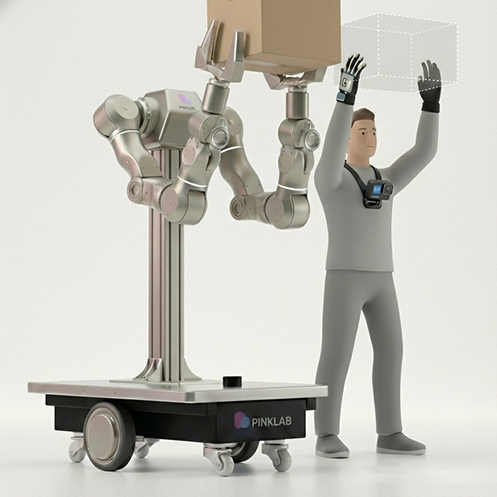
Translating human intent into robot action
Desktop · Glove · Gripper Lead Devices
Introduce Product
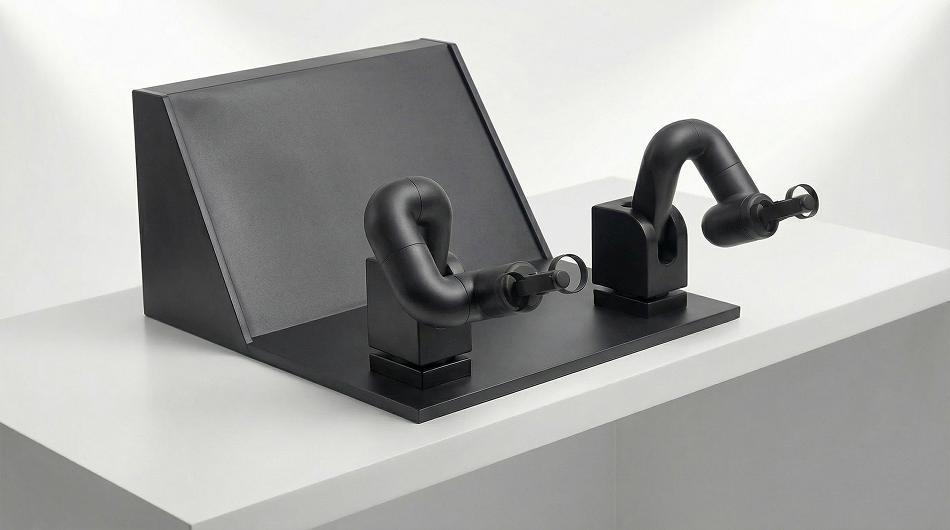
Desktop Lead Device
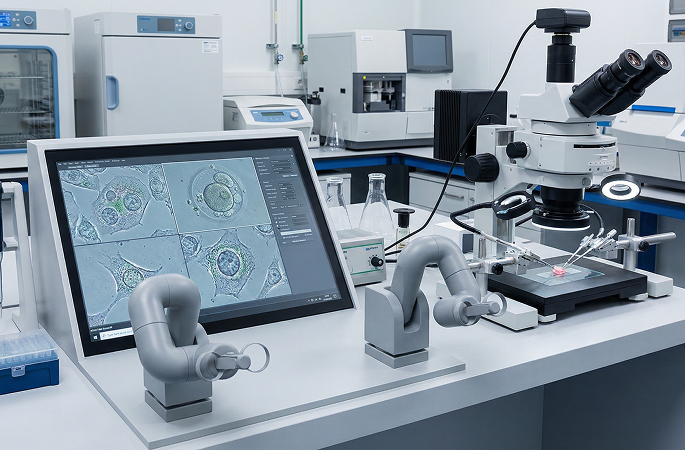
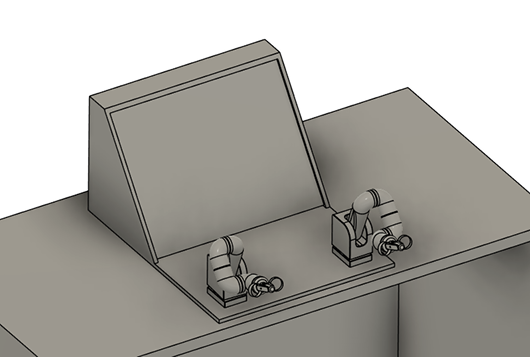
Move the two desktop handles to guide robot arms. Demonstrate dual-arm tasks with hands-on controls and create motions for a robot to learn.
- Desktop controls for two-handed operation
- Demonstrate robot arm motions through handle movements
- For teleoperation and imitation learning data collection
Main Functions
Applications

Intuitive Dual-Arm Control
Guide robot arm motions by moving the handles with both hands. Demonstrate tasks that use both arms together.

Remote Task Demonstrations
Translate operator input into robot actions to demonstrate tasks such as grasping and moving objects.

Imitation Learning Data Collection
Use human demonstrations as training data and explore how robots learn to perform tasks.
Execute with
Precision
Connect hand movements to robot tasks with a desktop lead device.
Photos
Reference Images



Key Specifications and Applications
| Form Factor | Desktop mounted |
|---|---|
| Input Method | Two-handed handle input |
| Applications | Robot arm teleoperation · Task demonstrations |
| Learning Applications | Demonstration data collection for imitation learning |
Introduce Product
Glove Lead Device
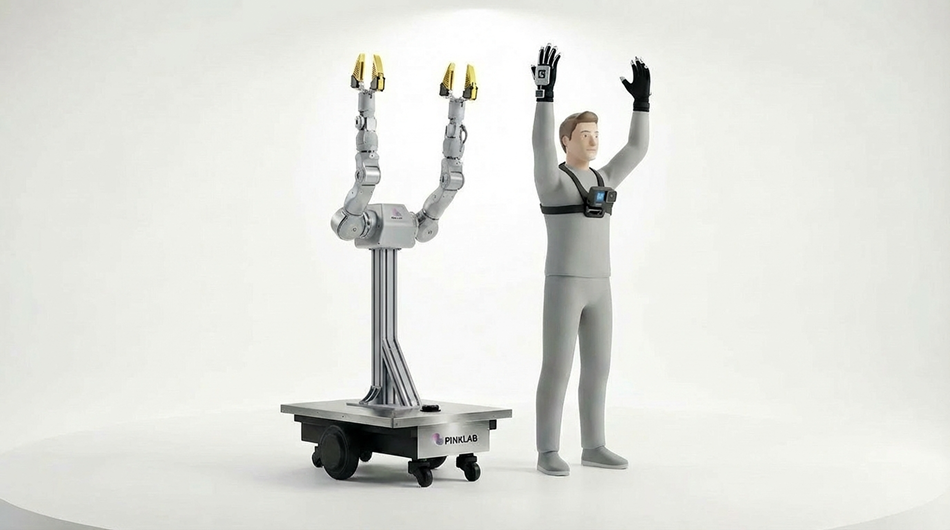
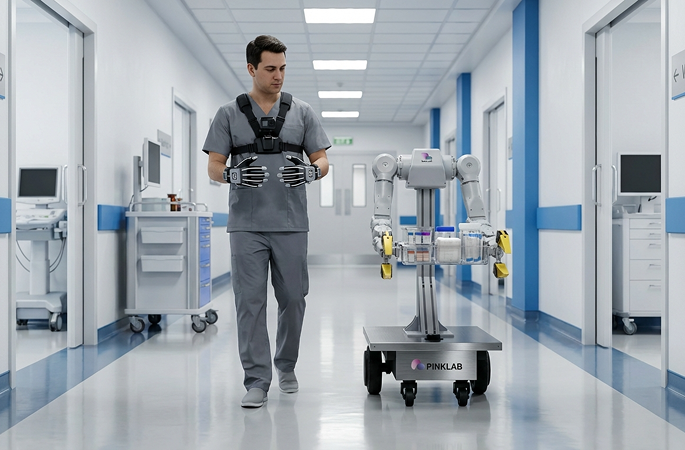
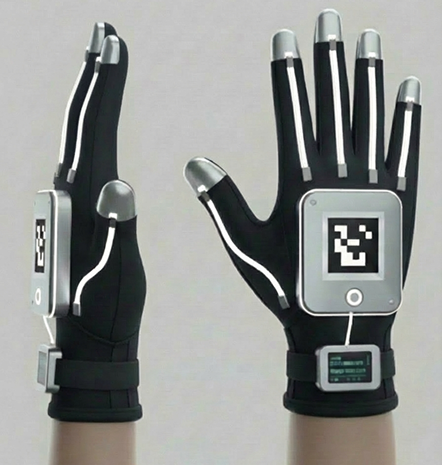
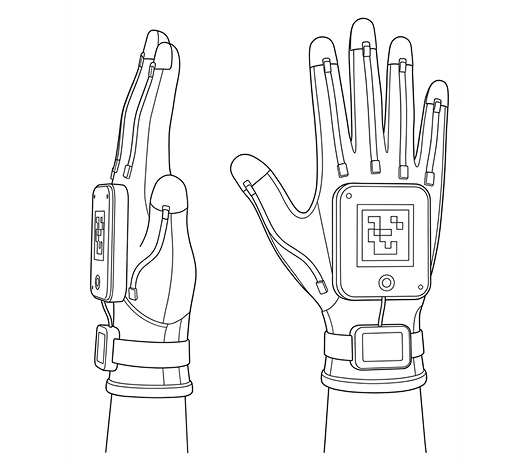
Wear the gloves and move your hands and arms to demonstrate robot actions. This wearable lead device connects natural hand movements to robot control.
- Wearable glove controls
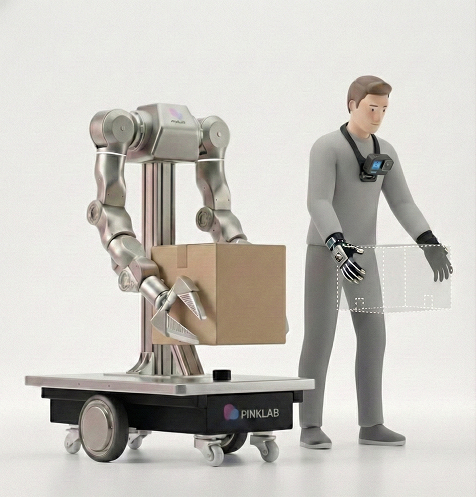
- Demonstrate tasks through hand and arm movements
- For dual-arm robot control and imitation learning
Main Functions
Applications
Hand Motion Input
Connect hand and arm movements to robot actions to demonstrate a task directly.
Wearable Control
Guide robot actions while wearing the gloves, with a control workflow centered on hand movements.
Task Demonstrations
Demonstrate two-handed object manipulation for robot teleoperation and imitation learning.
Execute with
Precision
Bring natural hand movements to robot control with a glove lead device.
Photos
Reference Images
Key Specifications and Applications
| Form Factor | Wearable gloves |
|---|---|
| Input Method | Hand and arm motion input |
| Applications | Dual-arm robot control · Task demonstrations |
| Learning Applications | Demonstration data collection for imitation learning |
Introduce Product
Gripper Lead Device
Hold and move the devices to demonstrate grasp-and-release tasks. Combine marker-based position and orientation tracking with gripper opening and closing input to connect two-handed demonstrations to robot control and imitation learning.
- Gripper opening and closing input for grasp-and-release tasks
- Camera and visual marker-based position and orientation tracking
- Two devices for two-handed operation · Wired USB connection to a PC

Main Functions
Applications
Gripper Opening and Closing Input
Combine gripper opening and closing input with device motion to demonstrate grasping and moving objects.
Marker-Based Motion Tracking
Track position and orientation by observing the visual markers on the device with a camera. Use movements of the handheld device to demonstrate robot tasks.
Two-Handed Imitation Learning
Use the left and right grippers together to demonstrate two-handed tasks. Turn grasping, moving, and releasing motions into demonstrations for imitation learning.
Execute with
Precision
Demonstrate by hand and continue learning robotics in PinkLAB Studio.


Key Specifications and Applications
| Grip Degrees of Freedom | 1-DOF per device · Gripper opening and closing |
|---|---|
| Motion Tracking | Camera and visual marker-based position and orientation tracking |
| Device Connectivity | Wired USB connection to a PC |
| Standard Configuration | Two gripper lead devices · For two-handed operation |
| Applications | Teleoperation · Two-handed task demonstrations |
| Learning Applications | Demonstration data collection for imitation learning |
Software
Explore Lead Devices with PinkLAB Studio

PinkLAB Studio
Explore dual-arm robot motion with gripper lead devices and PinkLAB Studio. Download the app and continue practicing grasp-and-release tasks.
Lead Device Product and Training Inquiries
Contact us for product information, purchasing, or educational applications of our lead devices.


 v1.0.3
Download PinkLAB Studio
Choose your operating system.
Get started in the app.
Download PinkLAB Studio and create an account in the app to get started.
For help with the app, contact For the full file listing, visit the download server.